


Time Management Features
Time Management - Experience a refined approach to workforce management with powerful tools.
Time Management
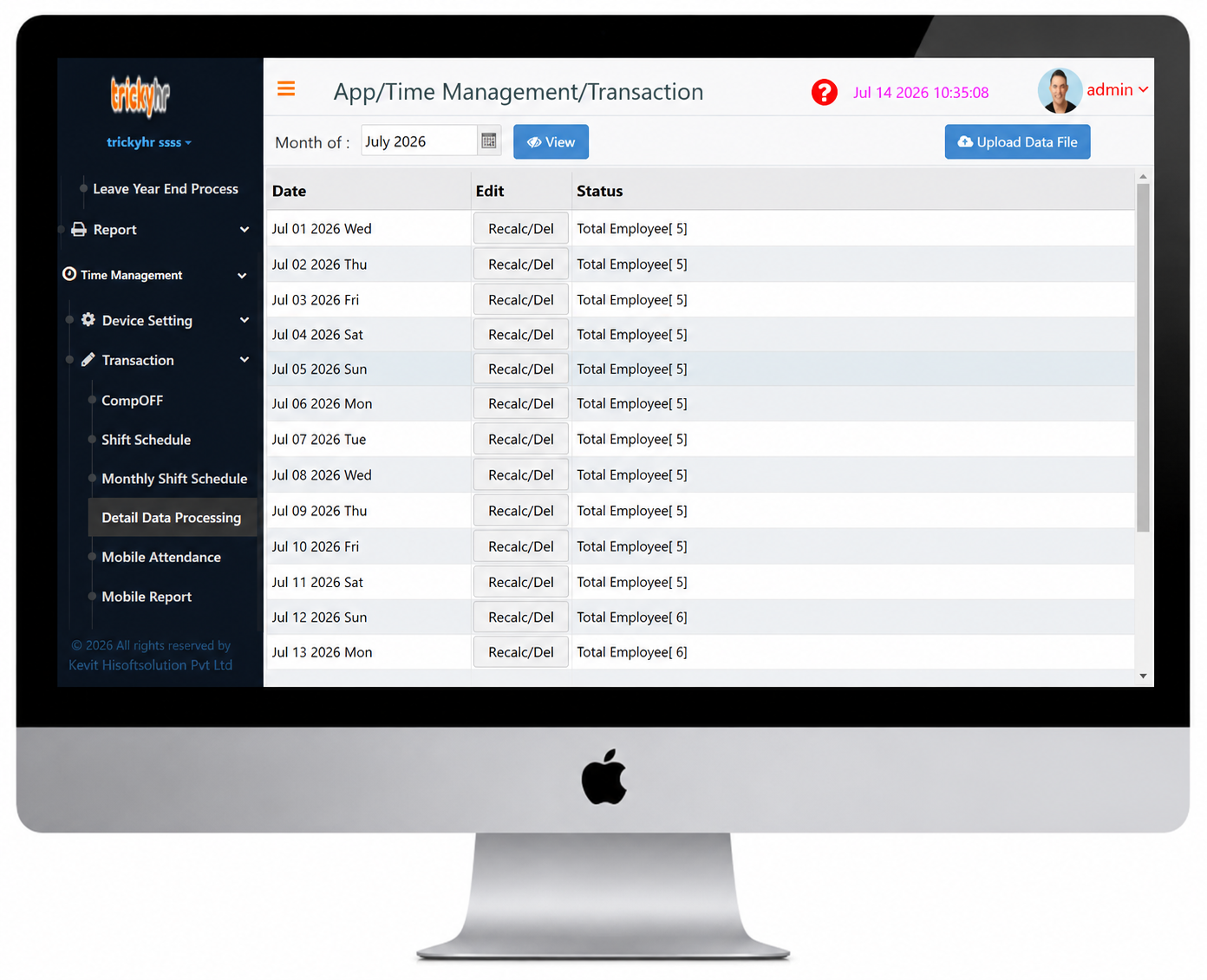
Detail Data Processing
The Time Management module in TrickyHRMS streamlines the complete employee time tracking process, from capturing punch records to generating payroll-ready attendance data. It ensures accurate attendance calculation, simplifies shift and overtime management, supports statutory compliance, and enhances overall workforce productivity through efficient time management.

Time Management
Live Tracking
TrickyHRMS provides real-time visibility into employee locations, attendance status, and field activities. Designed for field staff, remote teams, and mobile workforces, it helps organizations improve workforce accountability, enhance operational efficiency, and monitor employee movements with ease.
Time Management
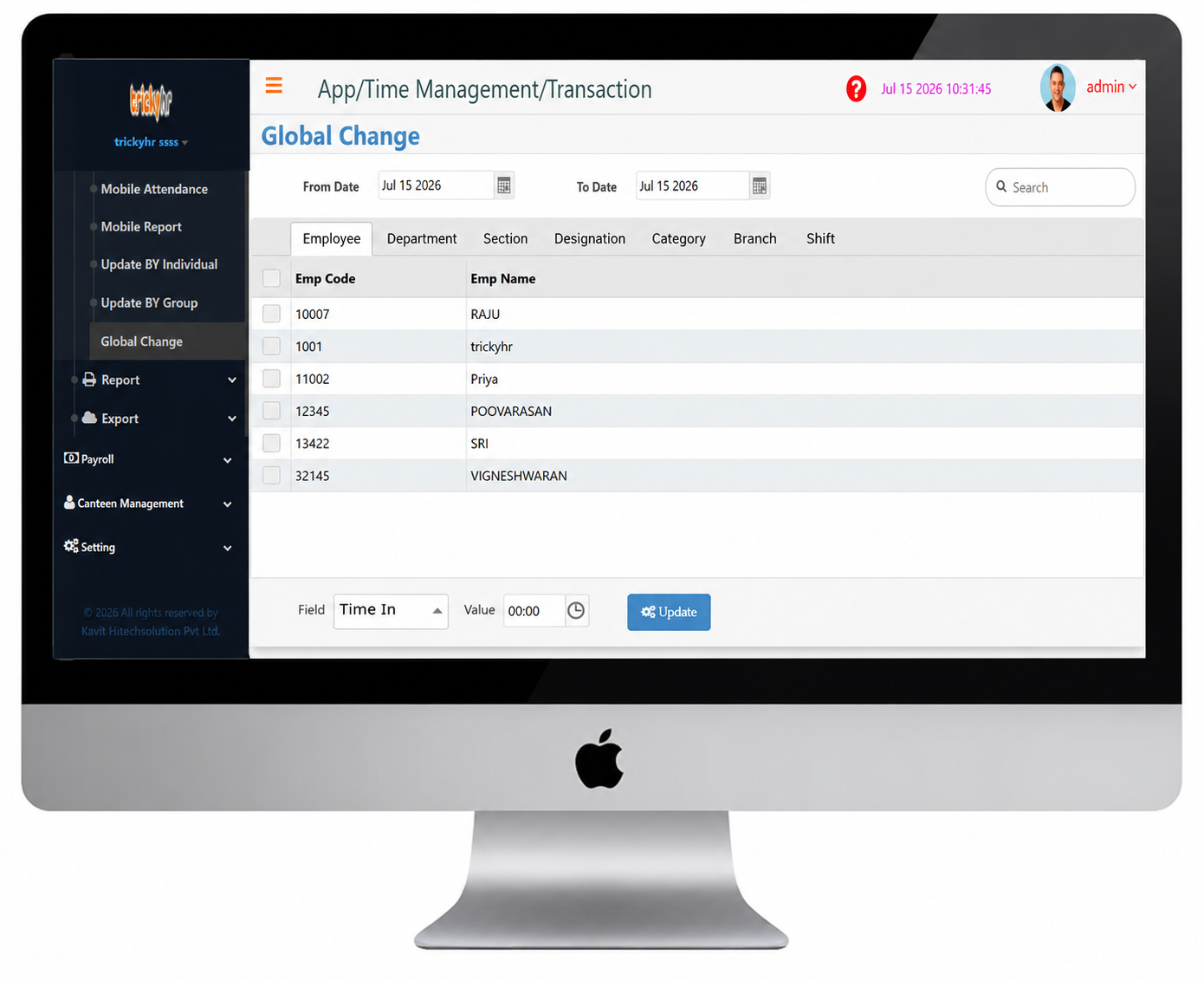
Global Change
The Global Change feature in TrickyHRMS enables HR administrators to update employee information across multiple records simultaneously. It eliminates the need for manual, individual edits, ensuring faster data updates, improved accuracy, and consistent information throughout the organization.
Time Management
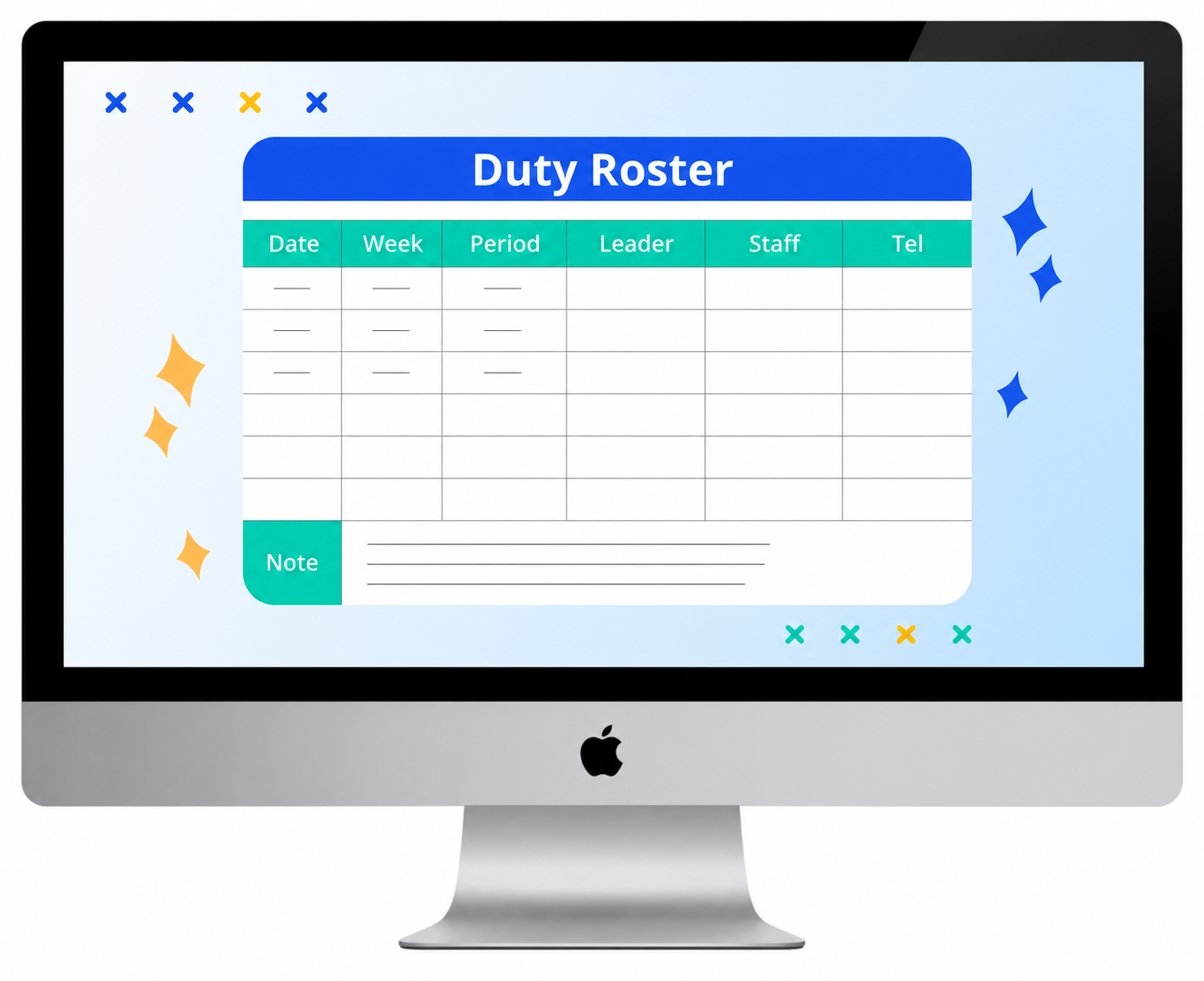
DutyRoster Report
The Duty Roster Report in TrickyHRMS provides a clear overview of employee work schedules for a selected period. It displays assigned shifts, duty dates, and work schedules, helping organizations manage workforce planning, ensure attendance accuracy, maintain compliance, and support seamless payroll processing.
Time Management
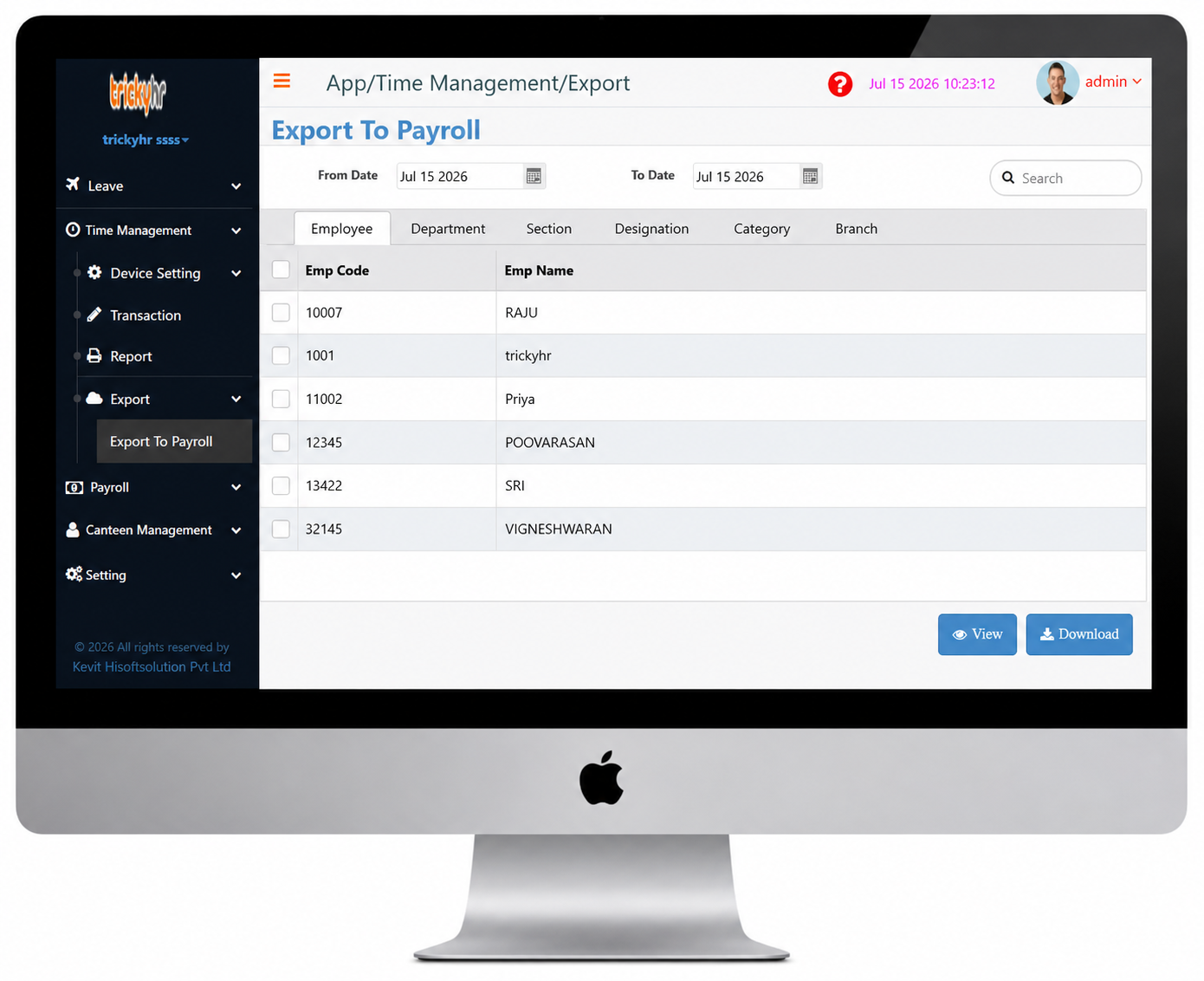
Export to Payroll
The Export to Payroll feature in TrickyHRMS seamlessly transfers finalized attendance, leave, overtime, and time management data to the Payroll module. This ensures accurate salary processing, reduces manual effort, eliminates data entry errors, and enables timely payroll execution.
Time Management
Benefits of Our Time Management
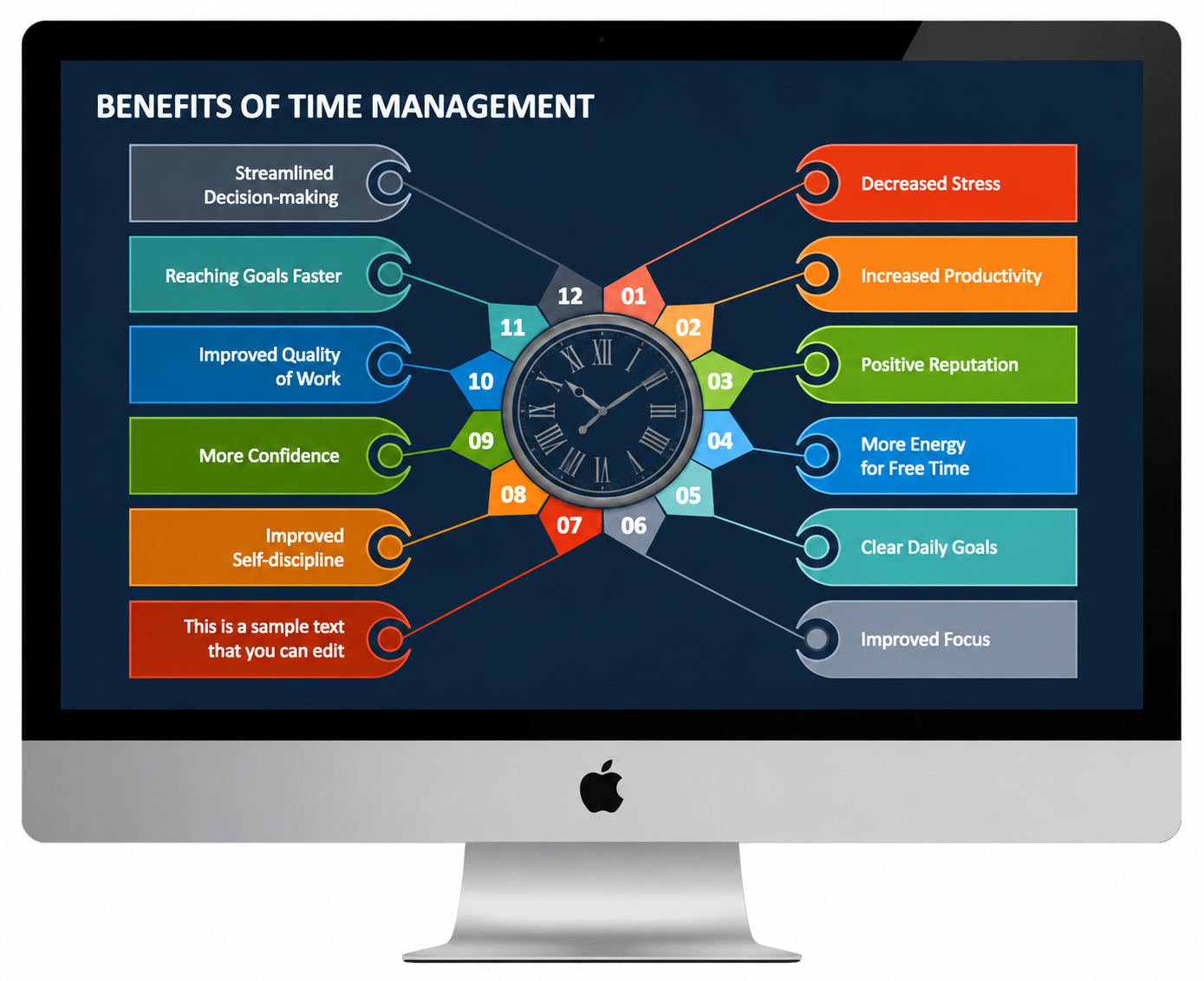
Effective time management helps employees prioritize tasks, stay organized, and maximize productivity. By managing time efficiently, organizations can accomplish more in less time, improve work quality, and reduce stress while enhancing overall operational performance.
Our "Time Management" module helps employees plan, organize, and optimize their work schedules, enabling them to complete tasks more efficiently and productively.
- Maximize workforce efficiency and business productivity.
- Build a stronger professional reputation.
- Reduce workplace stress and improve employee well-being.
- Create greater opportunities for career growth.
- Create greater opportunities to achieve career and personal goals.
Time Management
Update By Individual
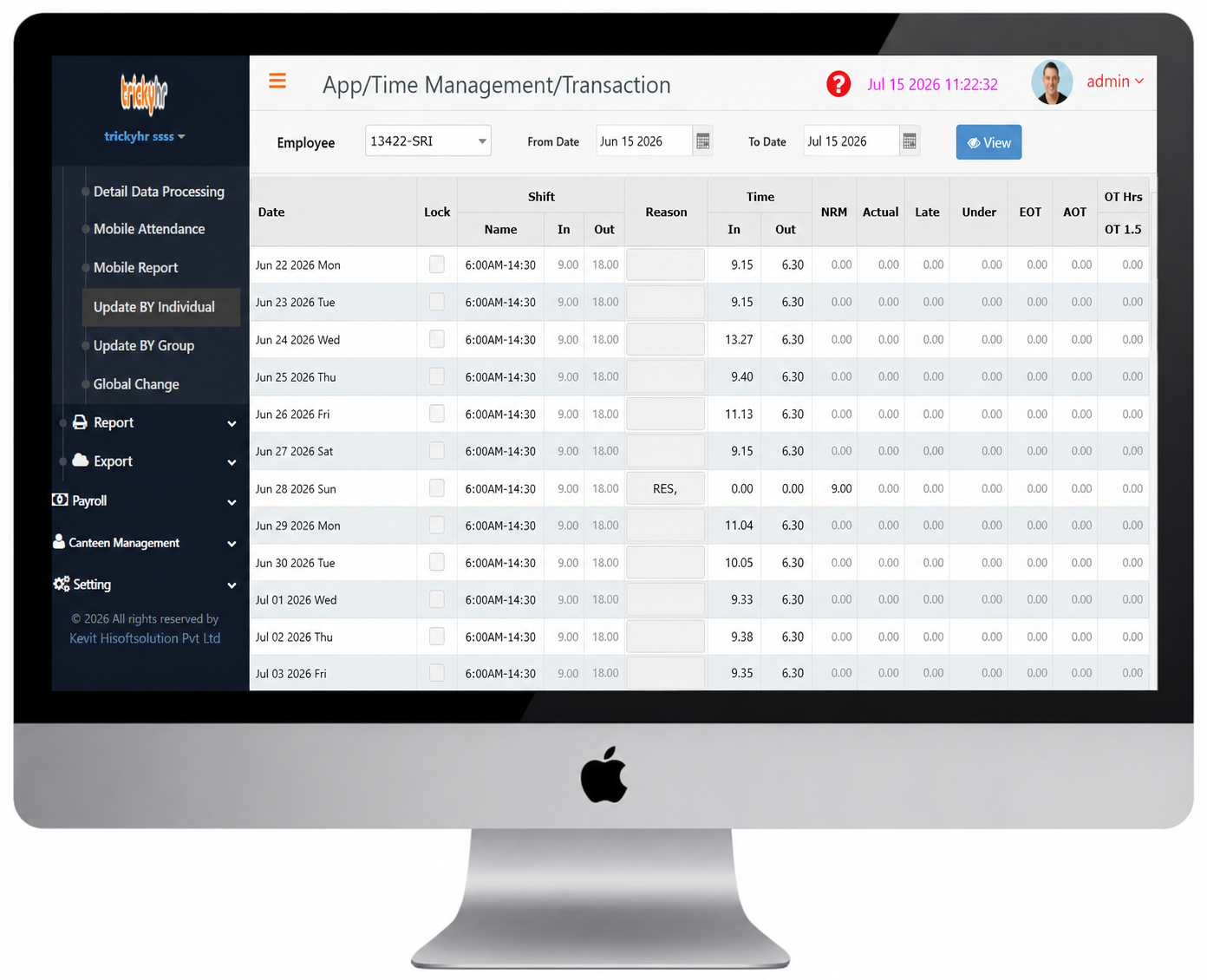
The Update by Individual screen in TrickyHRMS allows you to view and manage the attendance records of a specific employee for a selected period. It displays detailed attendance information, including punch-in and punch-out times, making it easy to review, verify, and update attendance whenever required.
The system supports attendance captured through both biometric devices and the mobile attendance app, ensuring accurate time tracking and reliable attendance management.
- Track employee Time In, Time Out, Late Arrivals, Early Departures (Under Time), and Overtime based on assigned shifts for each selected date.
- Easily identify employee attendance statuses such as Leave, Public Holiday (PH), Rest Day, Comp Off, and more. The system also allows you to update or modify an employee's shift timings whenever required, ensuring accurate attendance records.
Time Management
Update by Group
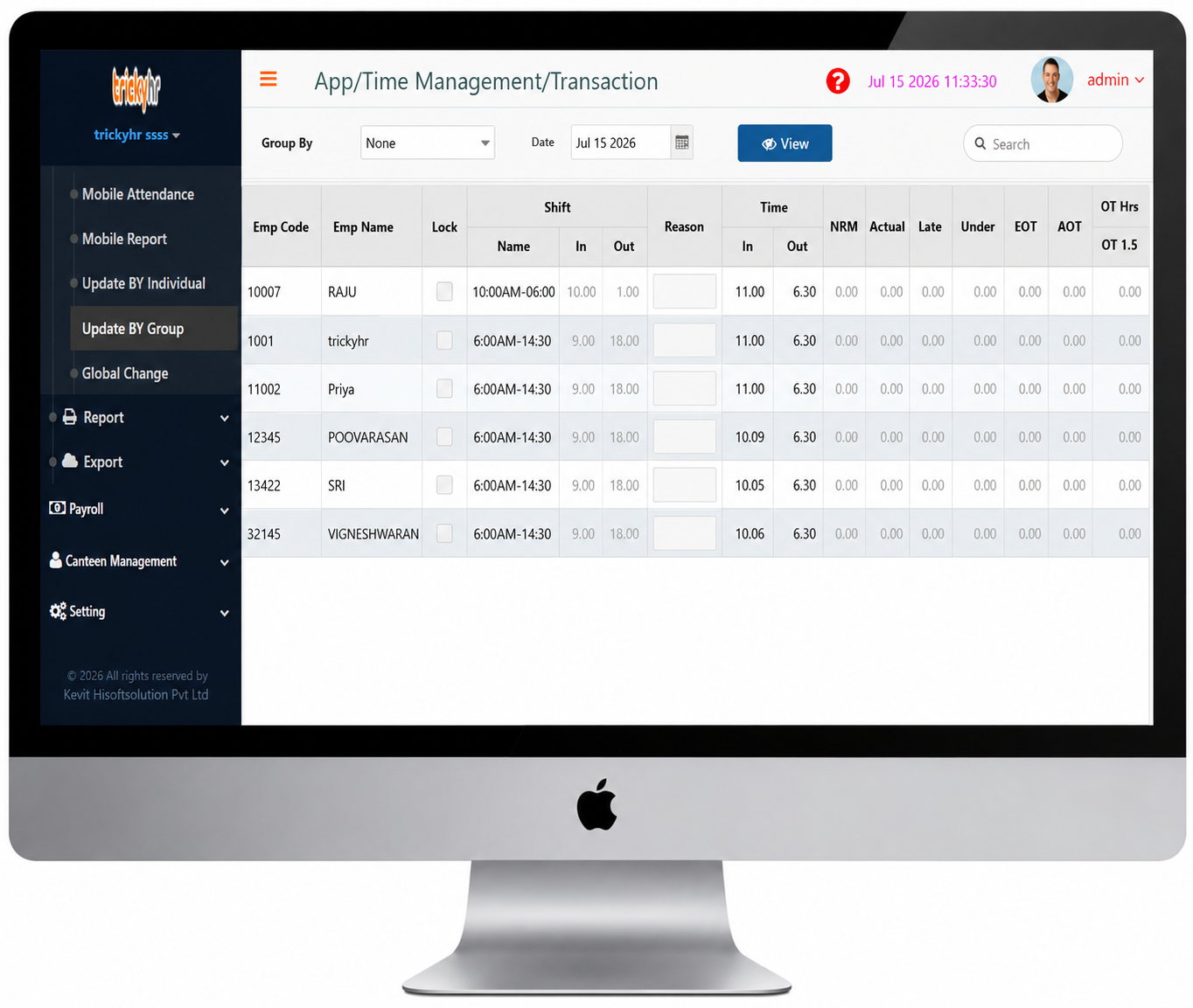
The Update by Group screen in TrickyHRMS allows you to view attendance details for employees based on Department, Designation, Branch, or other organizational groups for a selected date.
Our software supports attendance capture through both biometric devices and the mobile attendance app, enabling accurate tracking of employee check-in and check-out times for reliable attendance management.
- Track employee attendance date-wise based on assigned shifts, including Time In, Time Out, Late Arrival, Under Time, and Overtime. (Recommended)
- View employee attendance statuses, including Leave, Public Holiday, Rest Day, and Comp Off, with the flexibility to update employee work timings or shift schedules as needed.
Time Management
Mobile Attendance
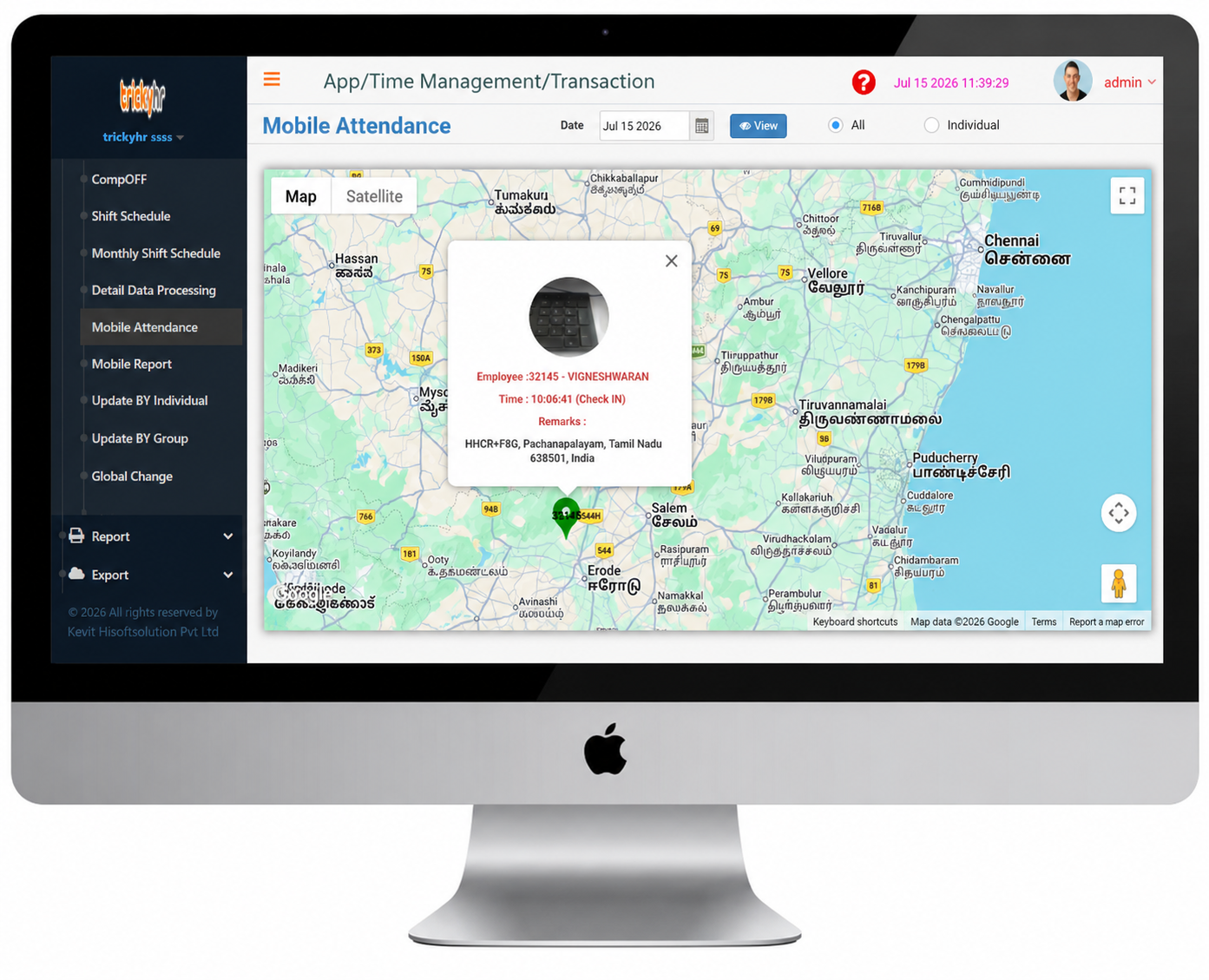
Even if your organization uses biometric attendance devices at the head office, tracking the attendance and location of field employees can be challenging. TrickyHRMS Mobile Attendance enables employees to mark their attendance and visit locations from anywhere, providing real-time tracking, improved accountability, and accurate attendance records.
For organizations with multiple branches or remote offices, installing biometric devices at every location can be costly. TrickyHRMS provides a cost-effective solution by enabling centralized attendance tracking, allowing you to monitor employee time records across multiple locations from a single platform.
Access real-time employee attendance and location data anytime, anywhere—even when you're away from the office.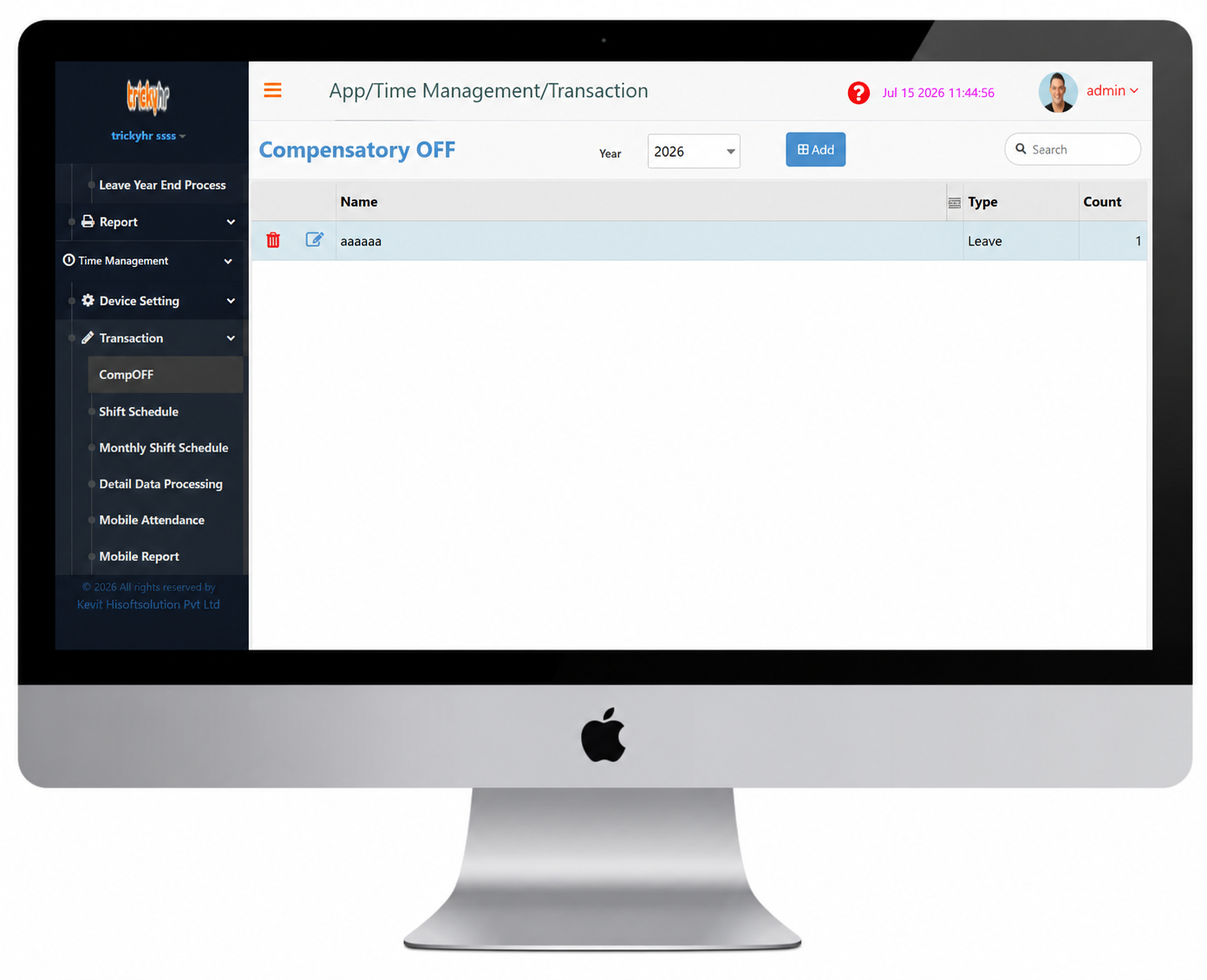
Time Management
Compensatory Off (Comp Off) is paid time off granted to employees in compensation for working overtime or on scheduled holidays and weekly off days.
Compensatory Off (Comp Off) allows employees to avail paid time off for working additional hours on a regular working day, weekly off, or public holiday. The eligibility, accrual, and usage of Comp Off are determined by the organization's leave policy and configurable leave rules, ensuring compliance with company-specific guidelines.
Comp off
- Once Comp Off is configured, the system automatically credits a compensatory leave whenever an employee works on a weekend or public holiday. The credited Comp Off is then available under the employee's Leave Request section.
- Compensatory Off requests can be configured with a validity period based on your organization's leave policy. Once approved, each Comp Off remains available only until its specified expiry date. The expiry period is fully configurable, allowing organizations to define how long employees can utilize their earned Comp Off before it automatically expires.
Time Management
Schedule
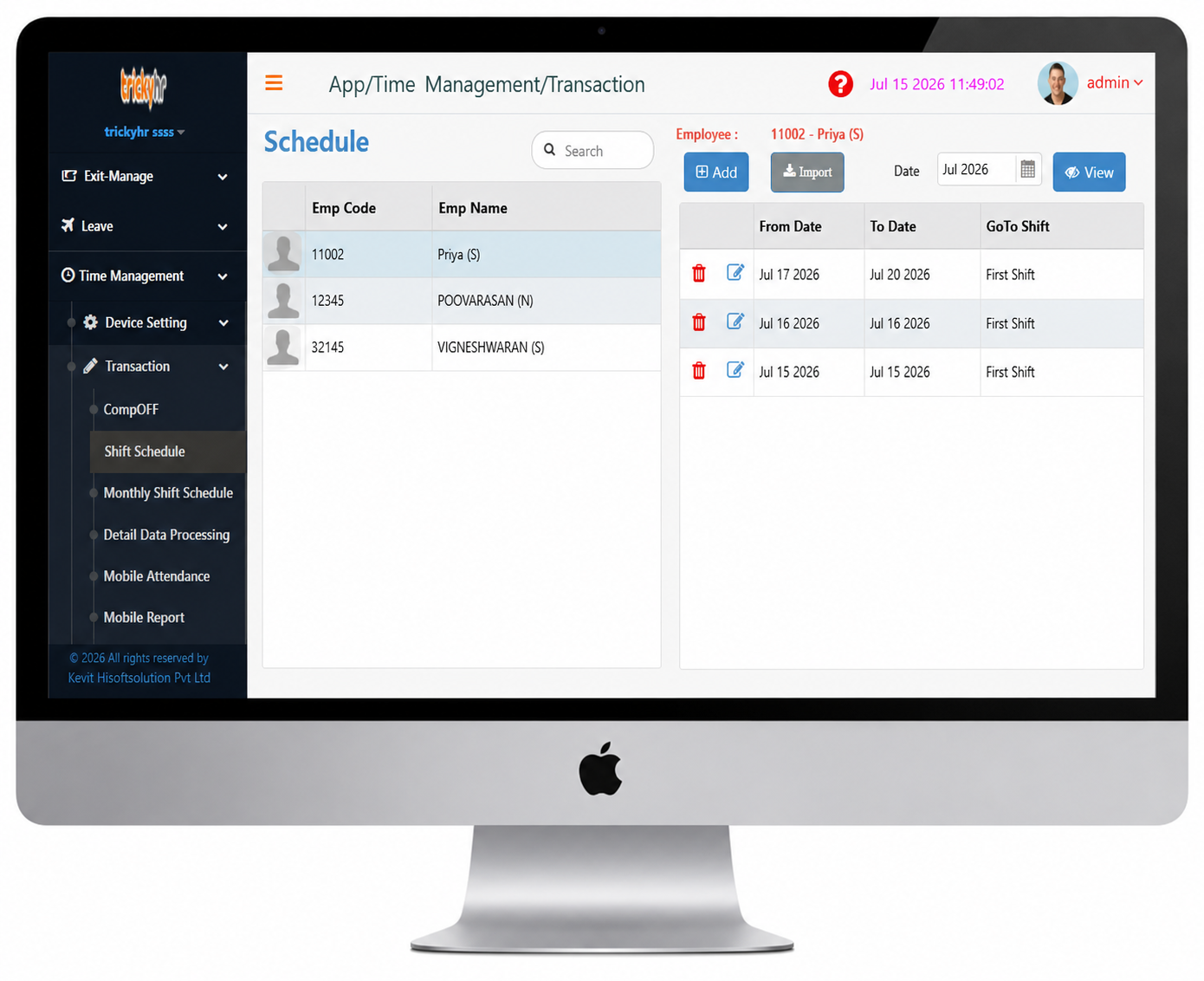
The "Schedule" feature supports fixed night shifts as well as rotational shift schedules, enabling employees to work across different shift timings.
The shift schedule is designed to manage employee work patterns efficiently by considering factors such as shift overlaps, shift change timings, attendance clock alignment, holidays, leave, training, and shift allowances. It also defines the sequence of working (W) and off (F) days within each shift cycle, ensuring smooth workforce planning and compliance with organizational scheduling policies.
- The Schedule module allows employees to request a shift change for a specific date, subject to HR approval.
- Employees are assigned only one shift per day. If a shift change is required, the Schedule module allows them to request a new shift, making shift management simple and efficient for the organization.
Time Management
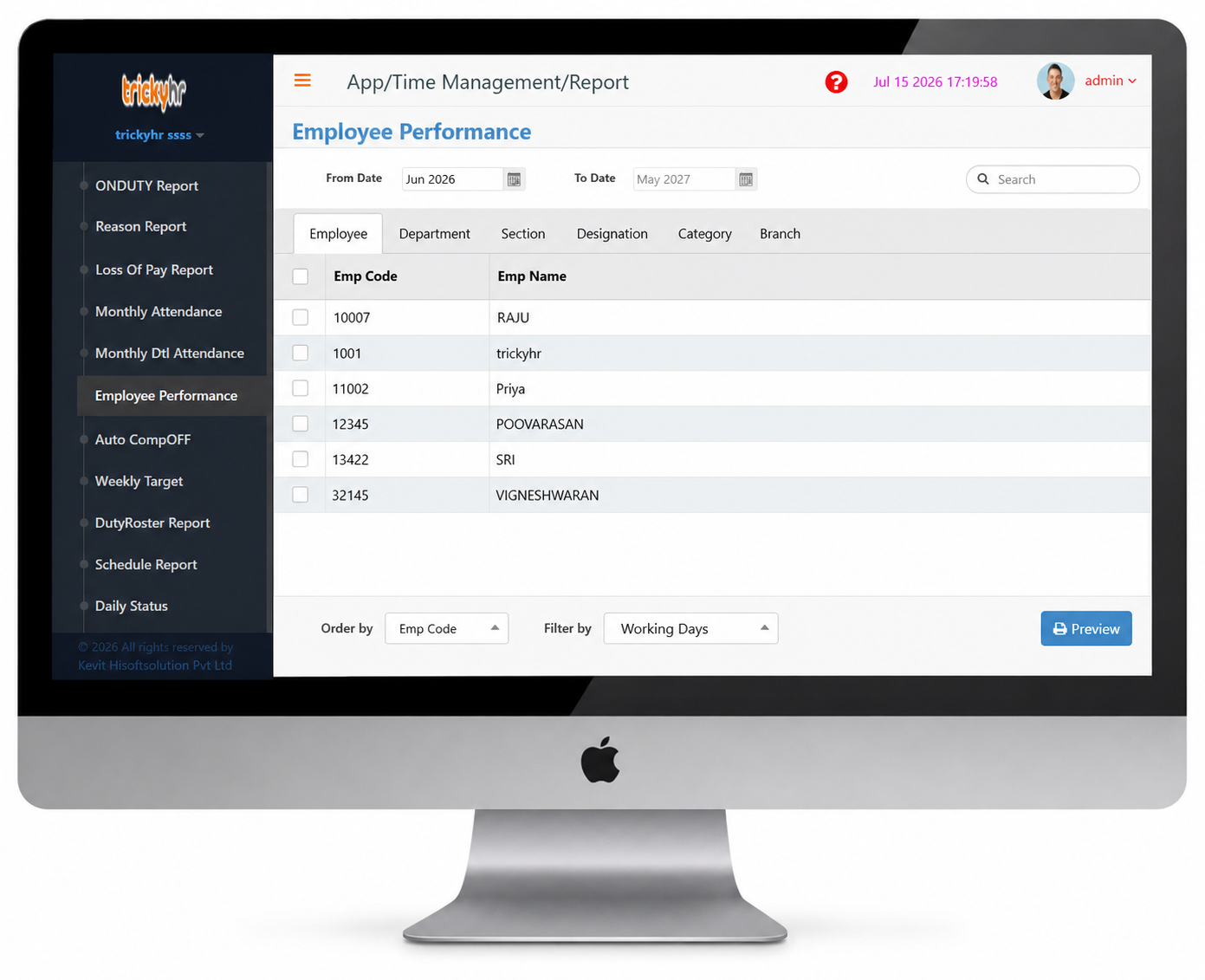
Daily, Missing, Late & OT, Absent, Reason, Monthly, Employee Performance Report
Performance Management in TrickyHR helps organizations effectively plan, track, and evaluate employee performance through a structured and systematic process.
- Goal Setting and Performance Tracking through KRA/KPI Management
- Manage Employee Performance Appraisal Cycles
- Self-Assessment and Performance Review
- Comprehensive 360-Degree Performance Feedback
Time Management
Mobile Report
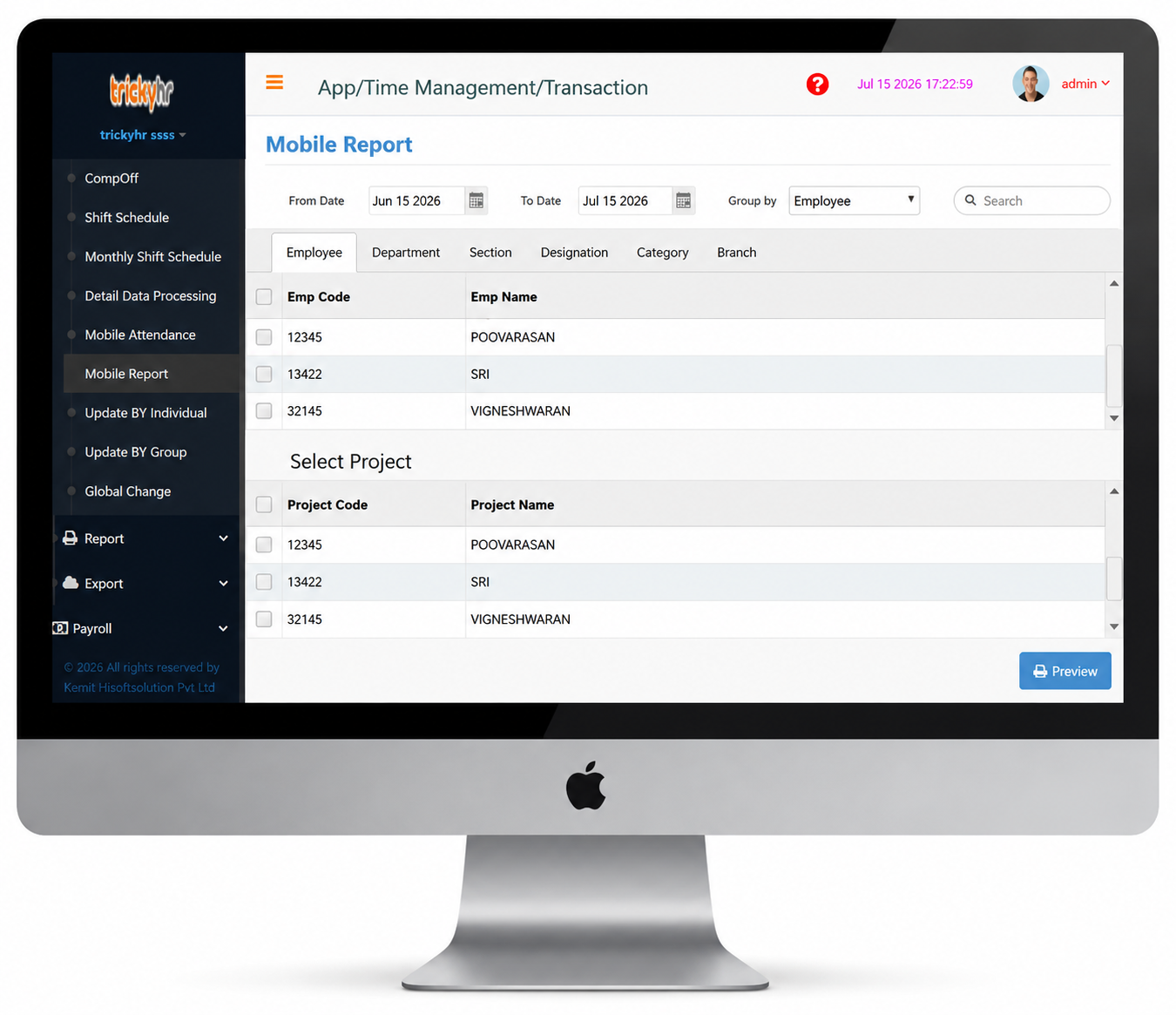
The Mobile Attendance Report enables organizations to monitor employee check-in and check-out times along with their attendance locations, ensuring accurate tracking of field and remote employees.
The report consolidates attendance information for all employees, making it easy to review and manage attendance records.
- The Project Attendance Report records employees' visits to assigned project sites, along with their check-in time, check-out time, location, and remarks for accurate tracking.
Time Management
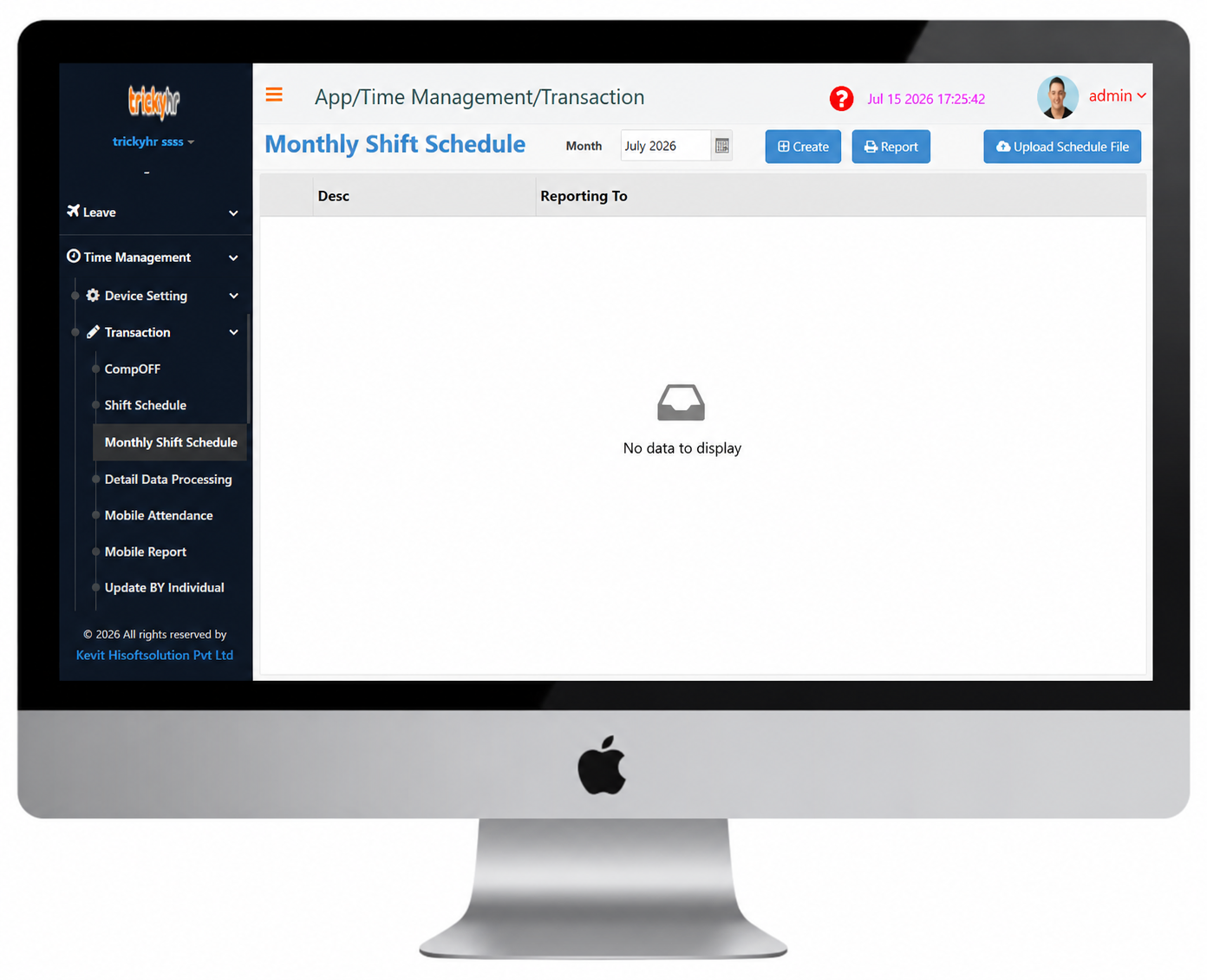
Monthly Shift Schedule
The Monthly Shift Schedule in TrickyHRMS enables organizations to efficiently plan, assign, and manage employee shifts for an entire month. It helps HR teams create balanced work schedules, ensure adequate staffing, manage shift rotations, comply with company policies, and maintain accurate attendance and payroll processing.