


Leave Management Features
Leave Management - Experience a refined approach to workforce management with powerful tools.
Leave Management
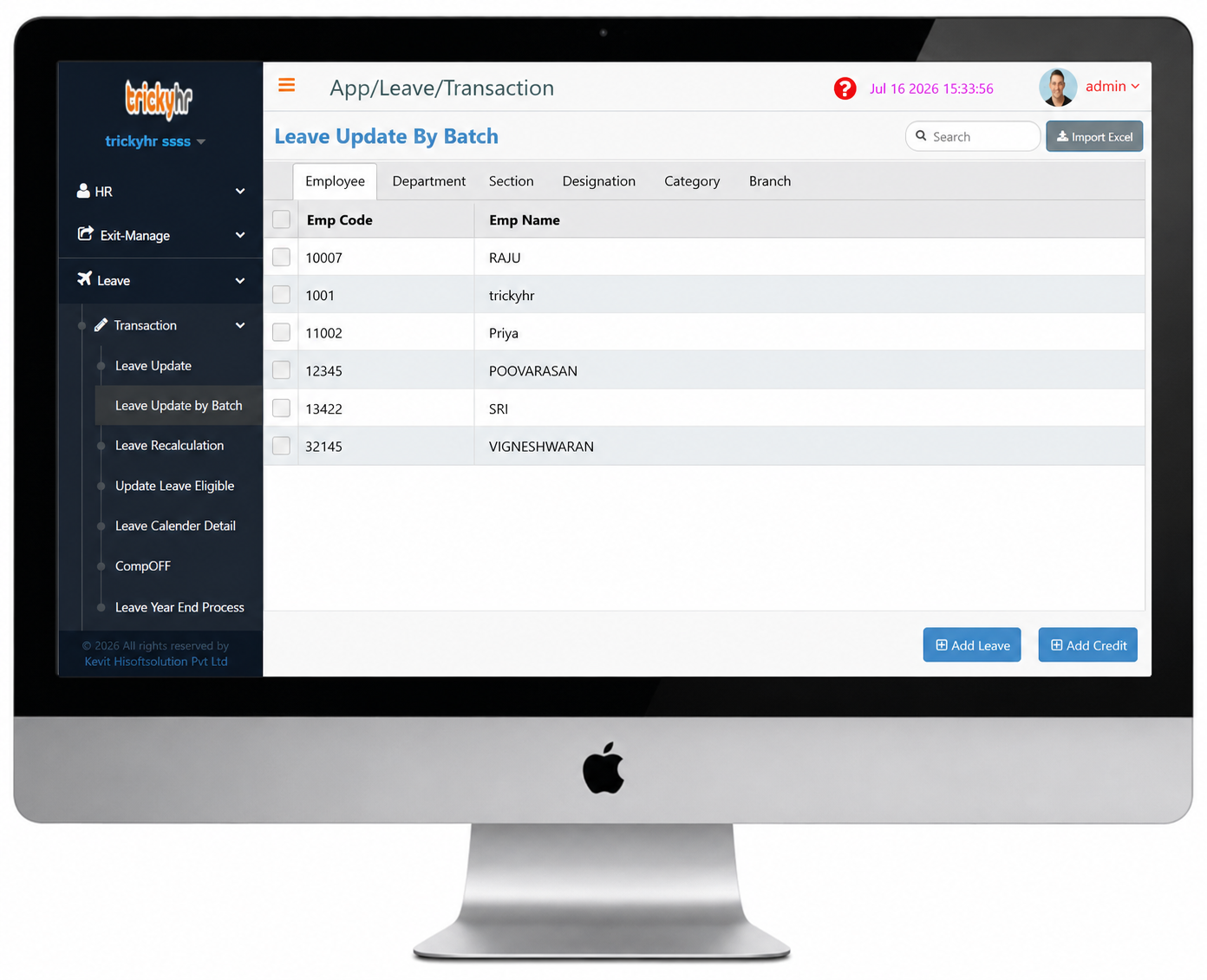
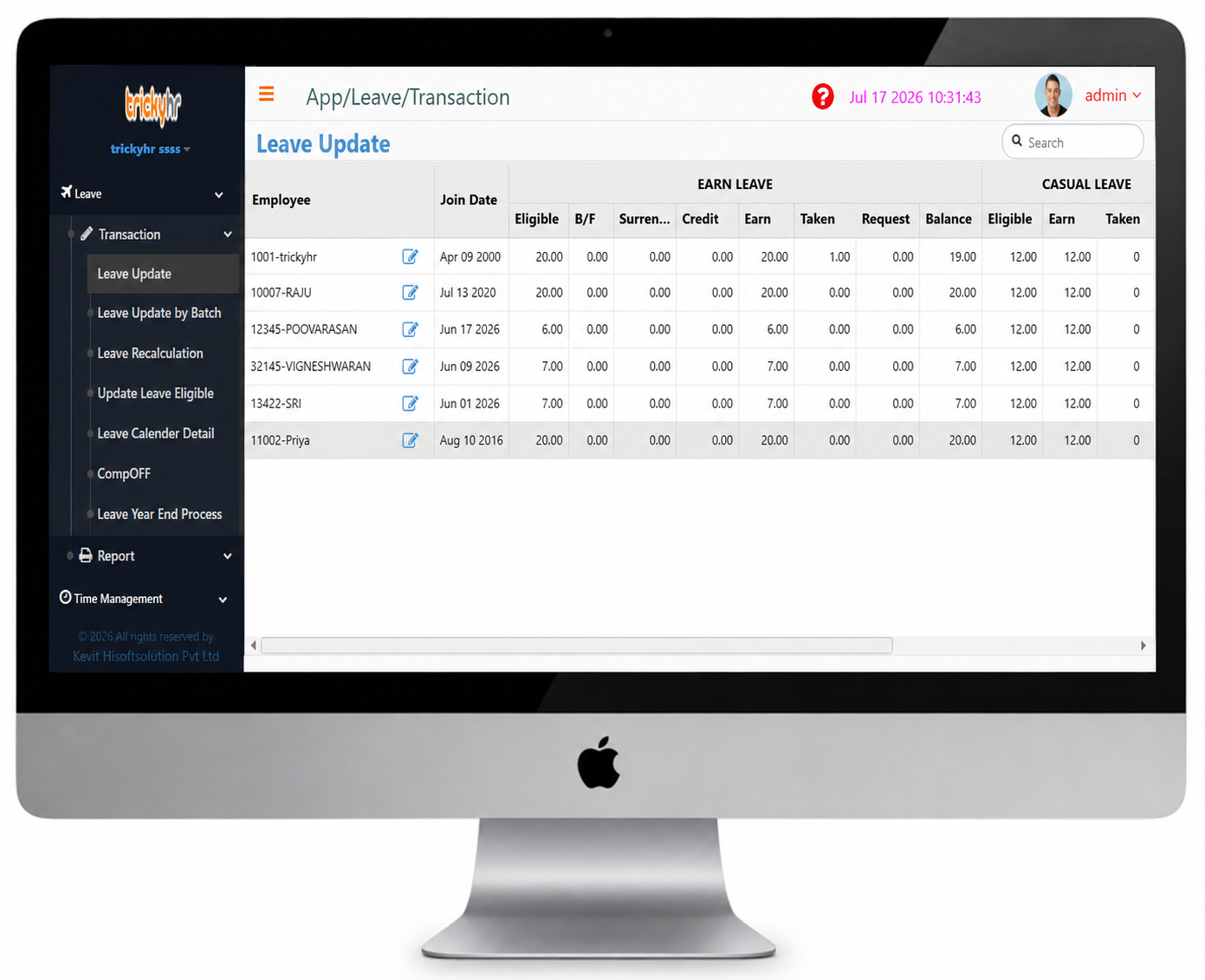
Leave Update by Batch
Leave Update by Batch in TrickyHRMS is a powerful feature that enables HR administrators to update leave information for multiple employees simultaneously. Instead of modifying leave records one by one, HR can efficiently perform bulk leave credits, deductions, balance adjustments, and corrections in a single process.
This feature saves time, reduces manual effort, minimizes errors, and ensures that employee leave balances remain accurate and consistent across the organization. It is ideal for implementing company-wide leave policy changes, annual leave credits, and other mass leave updates.
This feature is ideal for bulk leave credits, leave balance adjustments, policy-based updates, and leave record corrections.
Leave Management
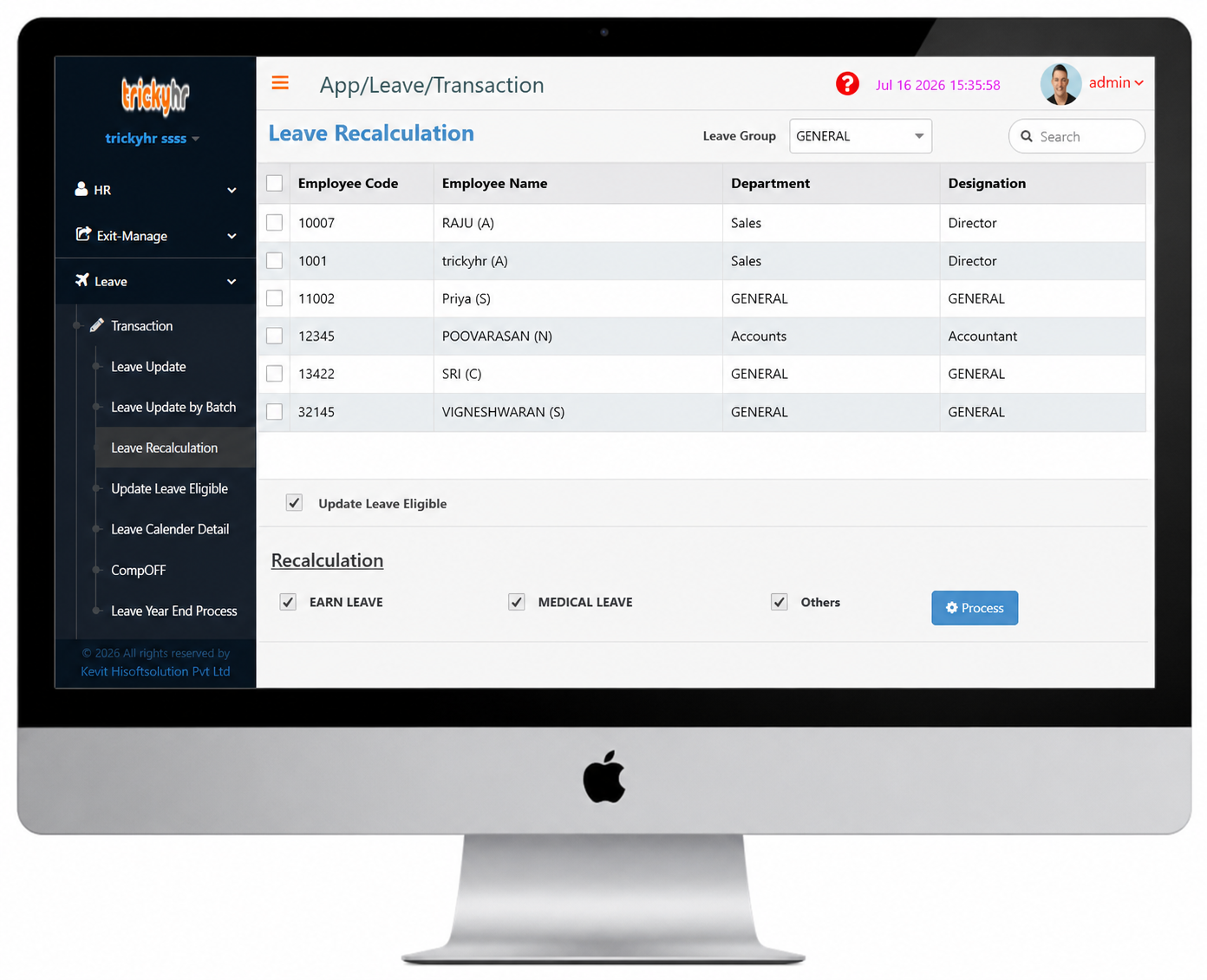
Leave Recalculation
Leave Recalculation in TrickyHRMS is a feature that automatically recalculates employee leave balances whenever attendance records, leave transactions, leave policies, employee information, or effective dates are modified. It ensures that leave entitlements remain accurate and up to date by applying the latest changes across the system. This process minimizes manual effort, eliminates calculation errors, and maintains consistency in leave records for accurate attendance tracking and payroll processing.
Leave Management
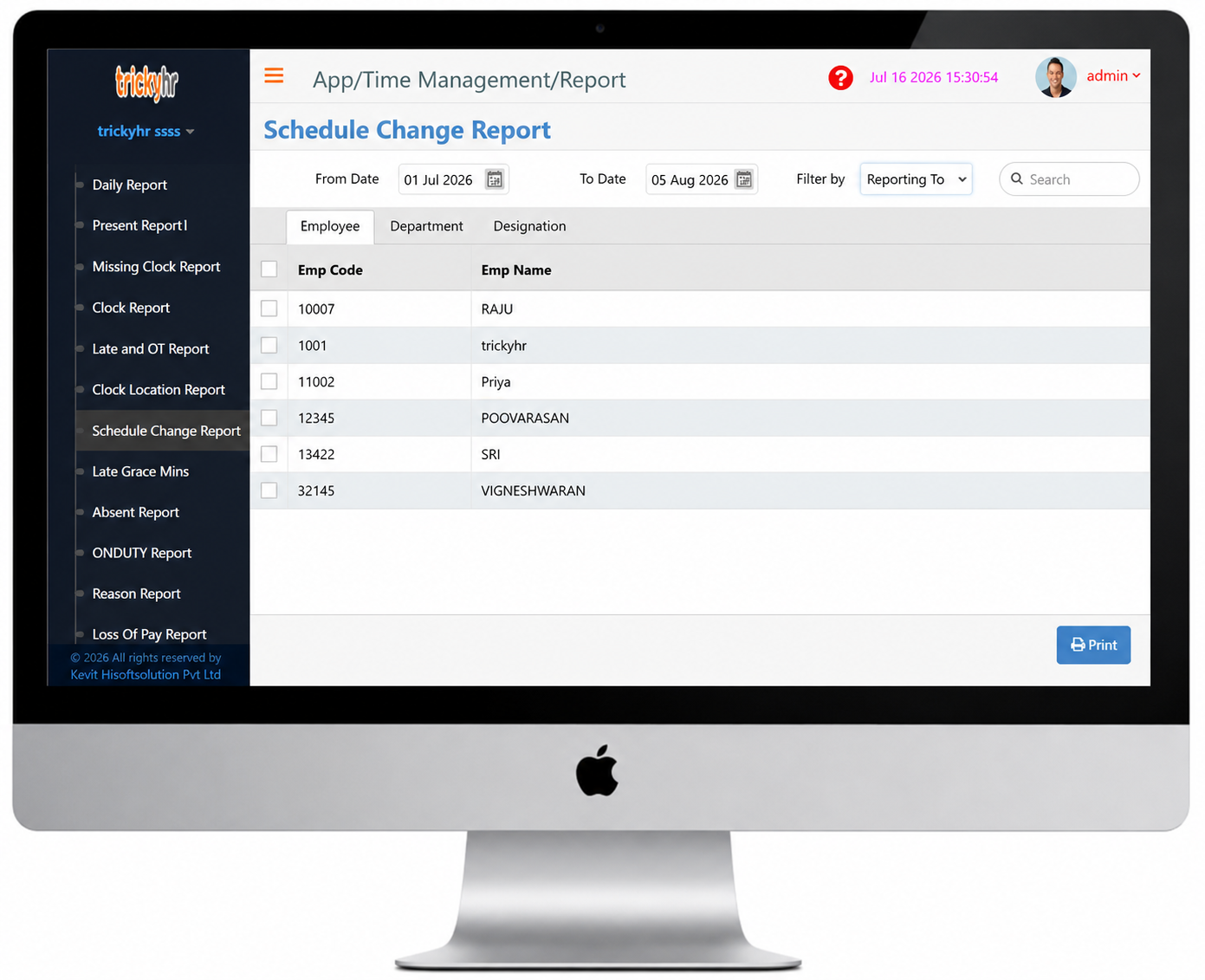
Schedule Change Report
The Schedule Change Report in TrickyHRMS provides a comprehensive record of all modifications made to employee work schedules, including shift changes, roster updates, and timing adjustments within a specified period. It enables HR and managers to monitor schedule revisions, maintain complete audit trails, and ensure workforce planning remains accurate.
This report improves transparency, supports compliance with company policies, and helps organizations effectively manage scheduling changes while reducing errors and operational disruptions.
Leave Management
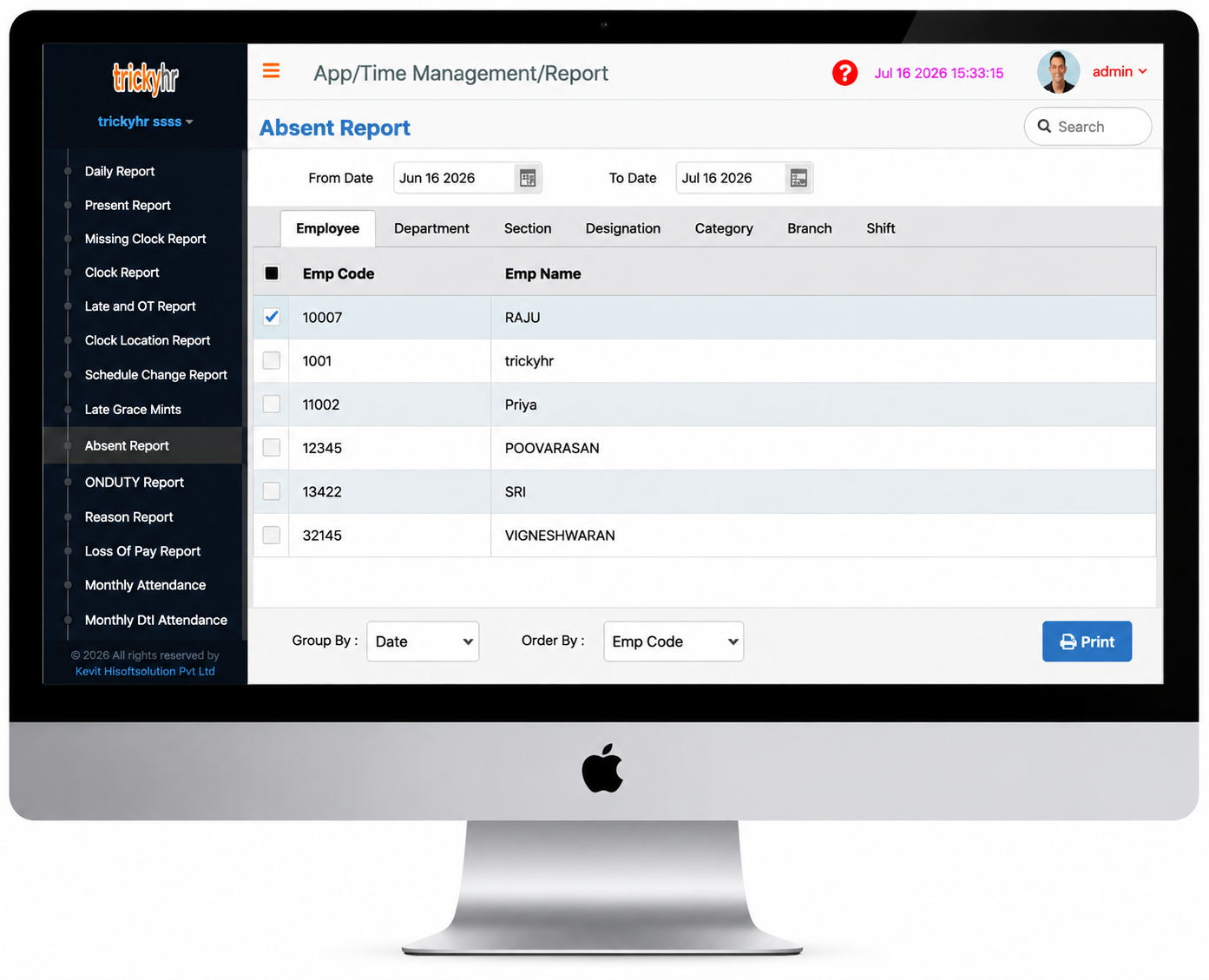
Absent Report
The Absent Report in TrickyHRMS provides a detailed overview of employees who were absent during a selected period by analyzing attendance records, shift schedules, and approved leave information. It enables HR and managers to identify absenteeism patterns, verify attendance accuracy, and take appropriate action when required. The report supports accurate payroll processing, strengthens attendance policy compliance, and helps organizations effectively manage workforce attendance.
Leave Management
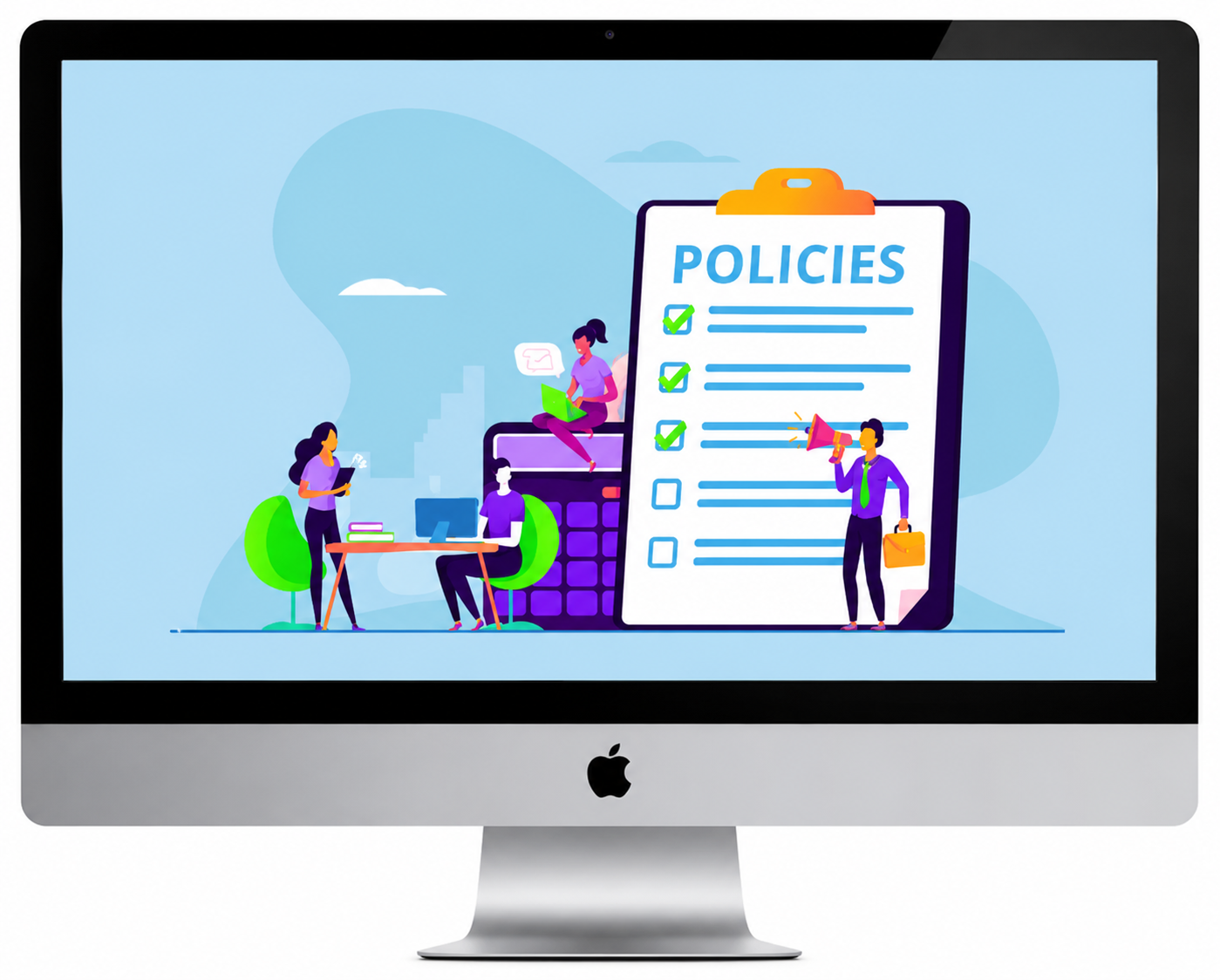
Leave Policy
The TrickyHRMS Leave Management module enables organizations to create and manage multiple leave types, including Earned Leave (EL), Casual Leave (CL), Sick Leave (SL), Maternity Leave (ML), Paternity Leave, and other custom leave categories. HR administrators can configure leave policies based on departments, employee categories, designations, branches, or company-specific requirements.
The TrickyHRMS Leave Policy module enables HR to easily configure employee leave policies and rules for each leave type. Its simple and intuitive setup allows organizations to define leave eligibility, accrual, limits, carry-forward, and approval rules quickly, ensuring consistent and policy-compliant leave management across the organization.
- Assign leave types based on predefined employee grades.
- Define the annual leave entitlement for each leave type.
- Define leave eligibility rules during an employee's probation period.
- Configure the minimum number of days in advance for leave applications.
- Configure sandwich leave rules for leaves taken before and after public holidays or weekly offs.
- Configure leave encashment and carry-forward rules based on company policy.
Leave Management
Employee Portal(Leave Apply)
The Leave Request screen in the Employee Self-Service (ESS) portal allows employees to apply for various leave types online as per company policy. Employees can submit leave requests, track their approval status, and enjoy a simple, paperless process that improves efficiency and ensures policy compliance.
Employees can view their leave history and track the status of current leave requests. They can save requests as drafts, submit them for approval, and regularize or cancel leave requests whenever permitted by company policy.
- Every leave request submitted by an employee is automatically validated against the organization's configured leave rules and policies
- The system performs real-time checks and displays appropriate alerts, warnings, or validation messages, enabling employees to identify any policy violations and make informed decisions before submitting their leave request
Leave Management
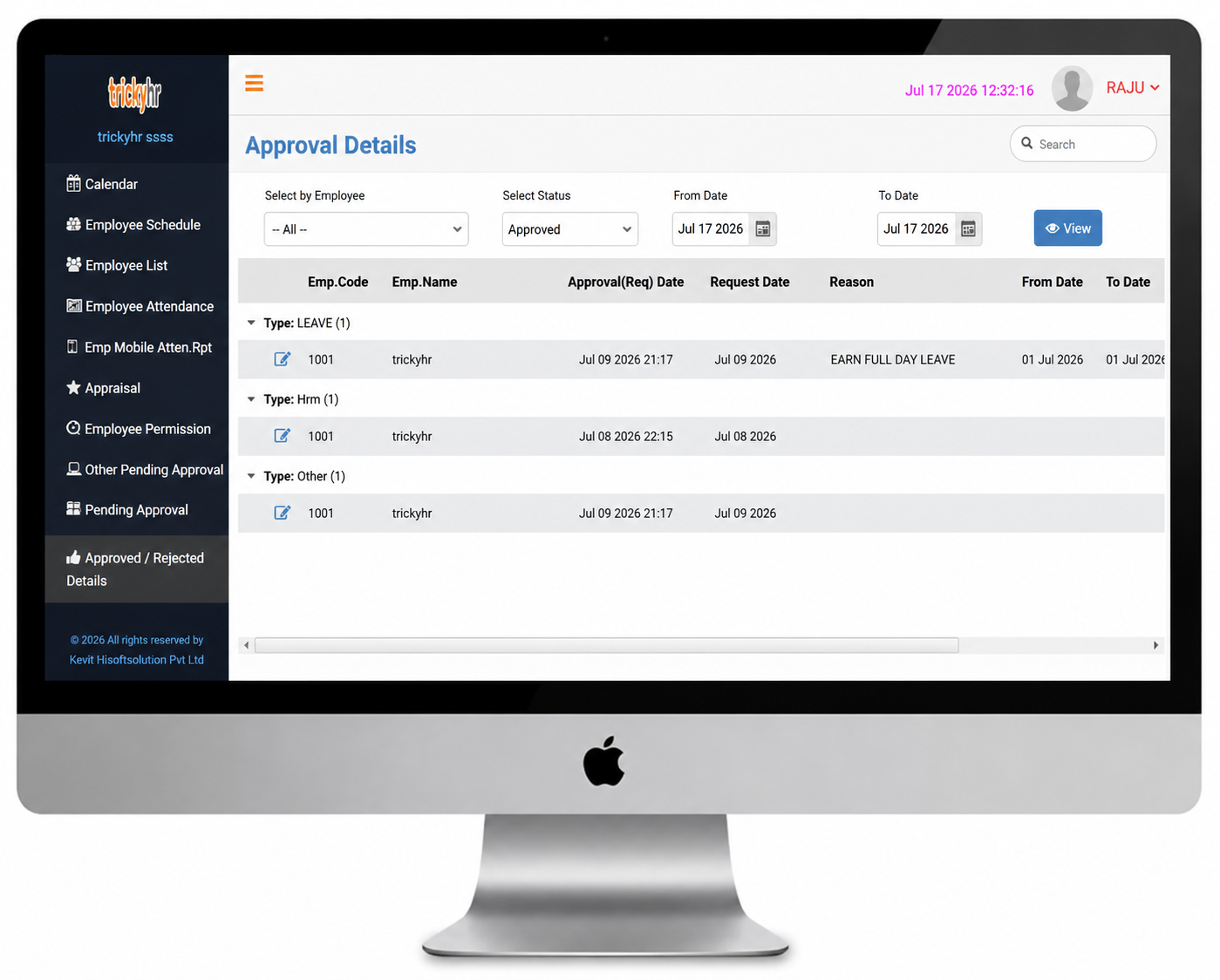
Supervisor(Approve Request and Status)
When an employee submits a leave request, the system automatically sends an email notification to the designated approving manager. After the request is approved or rejected, an email notification is sent to the employee, ensuring timely communication and complete transparency throughout the leave approval process.
During the leave approval process, the approving manager can view a calendar-based leave schedule displaying other employees' leave on the selected dates, along with each employee's leave eligibility and available balance. This provides better visibility for workforce planning and enables informed approval or rejection of leave requests.
- Supports a three-level approval workflow for efficient leave authorization.
- Approved leave details are automatically updated in the Admin portal.
Leave Management
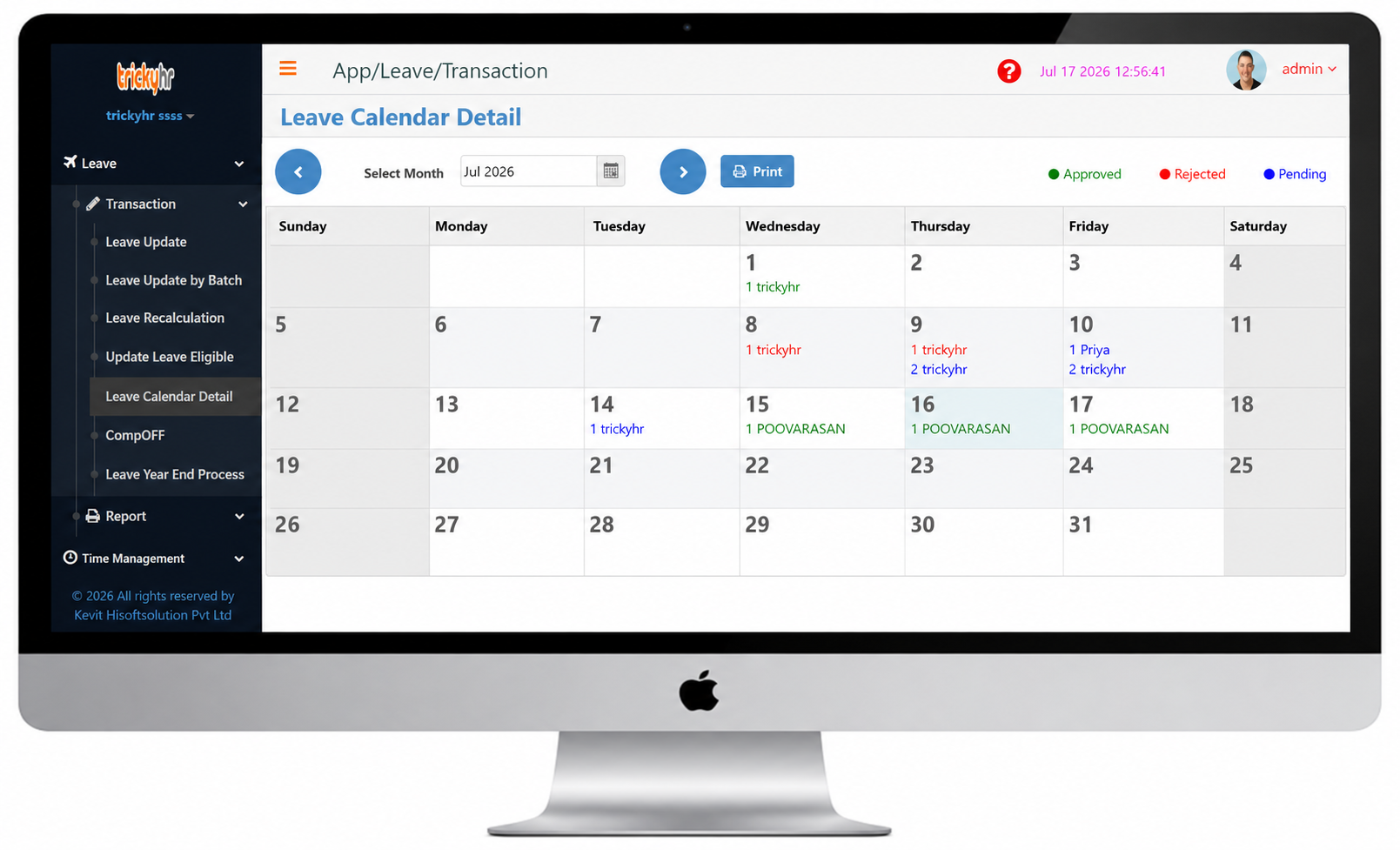
Leave Calendar
Easily view and manage employee leave, time-off, and unavailability with the Tricky HRMS Leave Management System.
- One unified platform with direct integration between Leave Management and Tricky HRMS Payroll.
- Allow employees to view their scheduled shifts, days off, and leave requests or approvals at a glance through an intuitive calendar for easy planning and management.
- With Tricky HRMS, employees and managers can view complete leave history and track all leave applications, approvals, and rejections from a centralized dashboard.
Leave Management
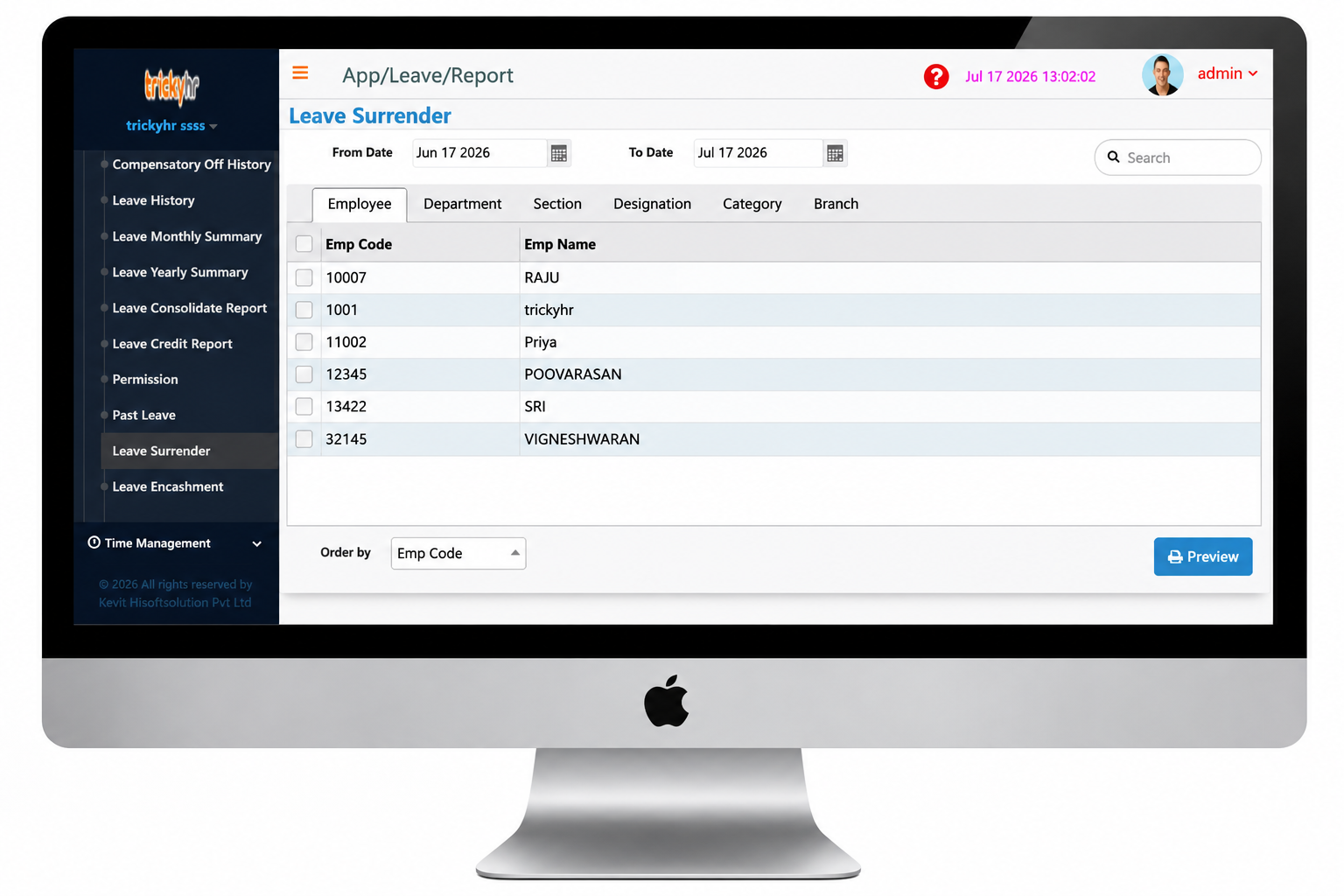
Tricky HRMS supports the Leave Surrender feature. If your organization offers Leave Surrender, simply enable this option in the Admin Settings to allow employees to submit Leave Surrender requests.
Configure the minimum number of Earned Leave days an employee must have in the Admin Panel to be eligible for Leave Surrender.
Leave Surrender
The Leave Surrender module helps organizations manage Earned Leave surrender requests and process eligible leave encashment efficiently.
- Employees can submit their Leave Surrender requests through the Employee Portal (EM Portal).
- The Leave Surrender workflow includes automatic email notifications. When an employee submits a Leave Surrender request, the approving officer receives an email alert. After the request is approved or rejected, the employee is automatically notified of the decision via email.
- After the supervisor approves the request, the Leave Surrender details are updated in the Admin Panel, enabling HR to proceed with further processing.
Leave Management
History Report
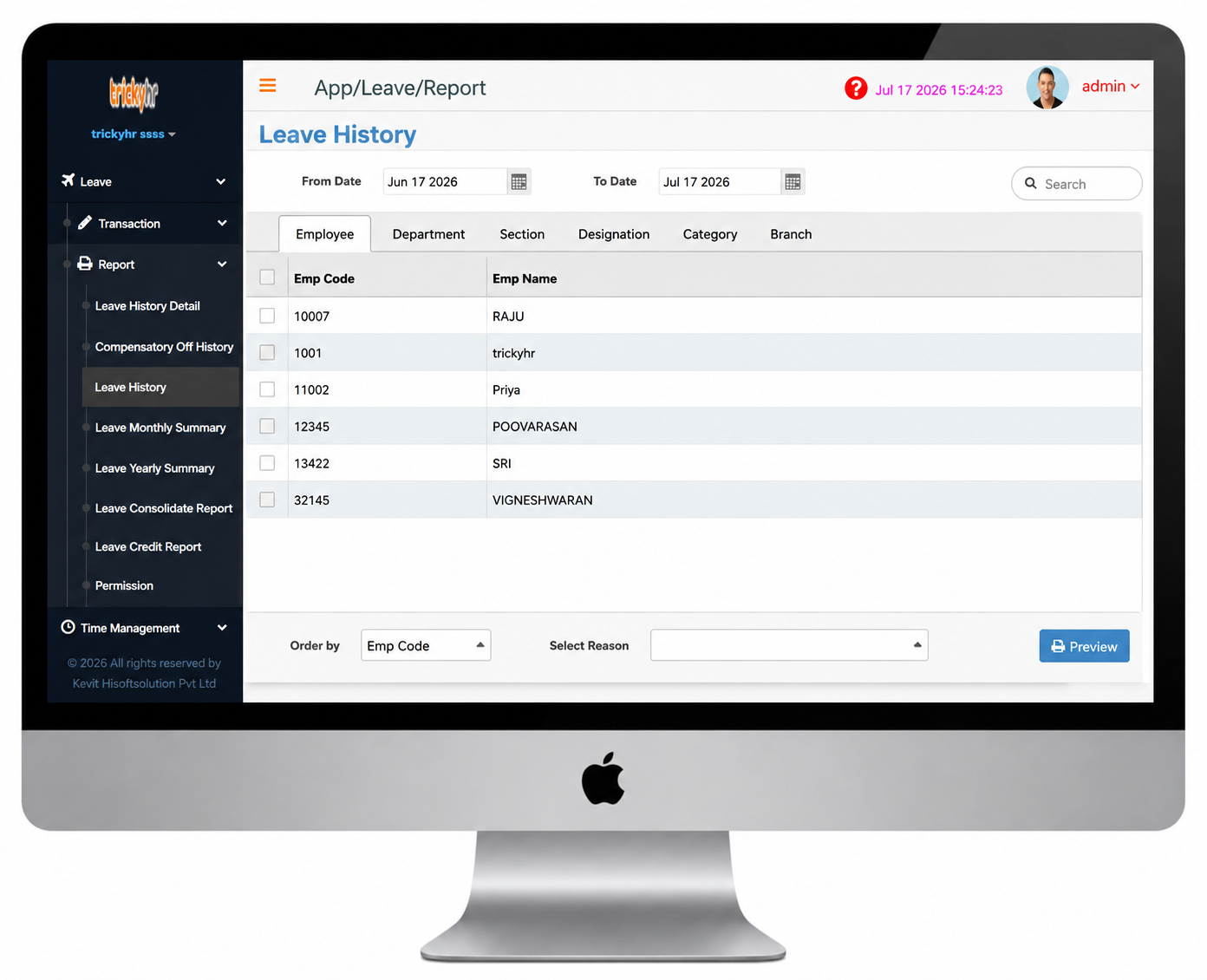
The Leave History report helps HR and managers review and track the leave history of each employee efficiently.
- The report provides a detailed summary of each employee's leave records, including the leave date, leave type, eligible leave, leave taken, and balance leave.
- Allows users to select multiple leave types for the report.
- The Employee Portal also provides access to this report, allowing employees to view their leave history.
- Choose the date range, employee, and leave type, and then click the View button to display the report.
Leave Management
Consolidate Report
The Arrears Calculation feature enables accurate salary revisions for previous payroll periods with retrospective effect. The Monthly Reconciliation report compares changes in pay components between the current and previous months, or across any selected period, ensuring payroll accuracy and easy verification.
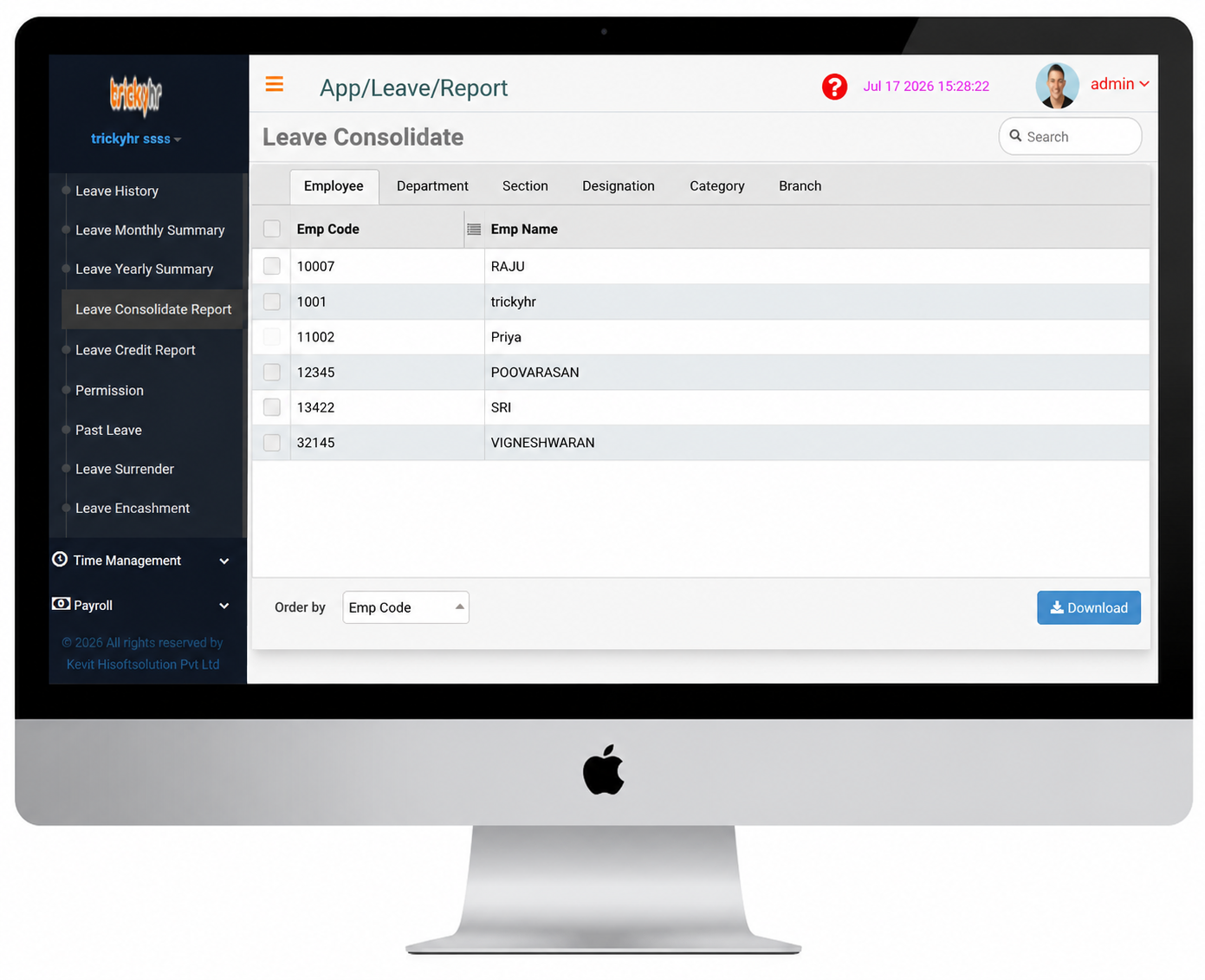
The report displays the current leave status of all employees.
- This report provides an overall summary of each employee's leave eligibility, leave credits, leave taken, and remaining leave balance.
Leave Management
Year End Process
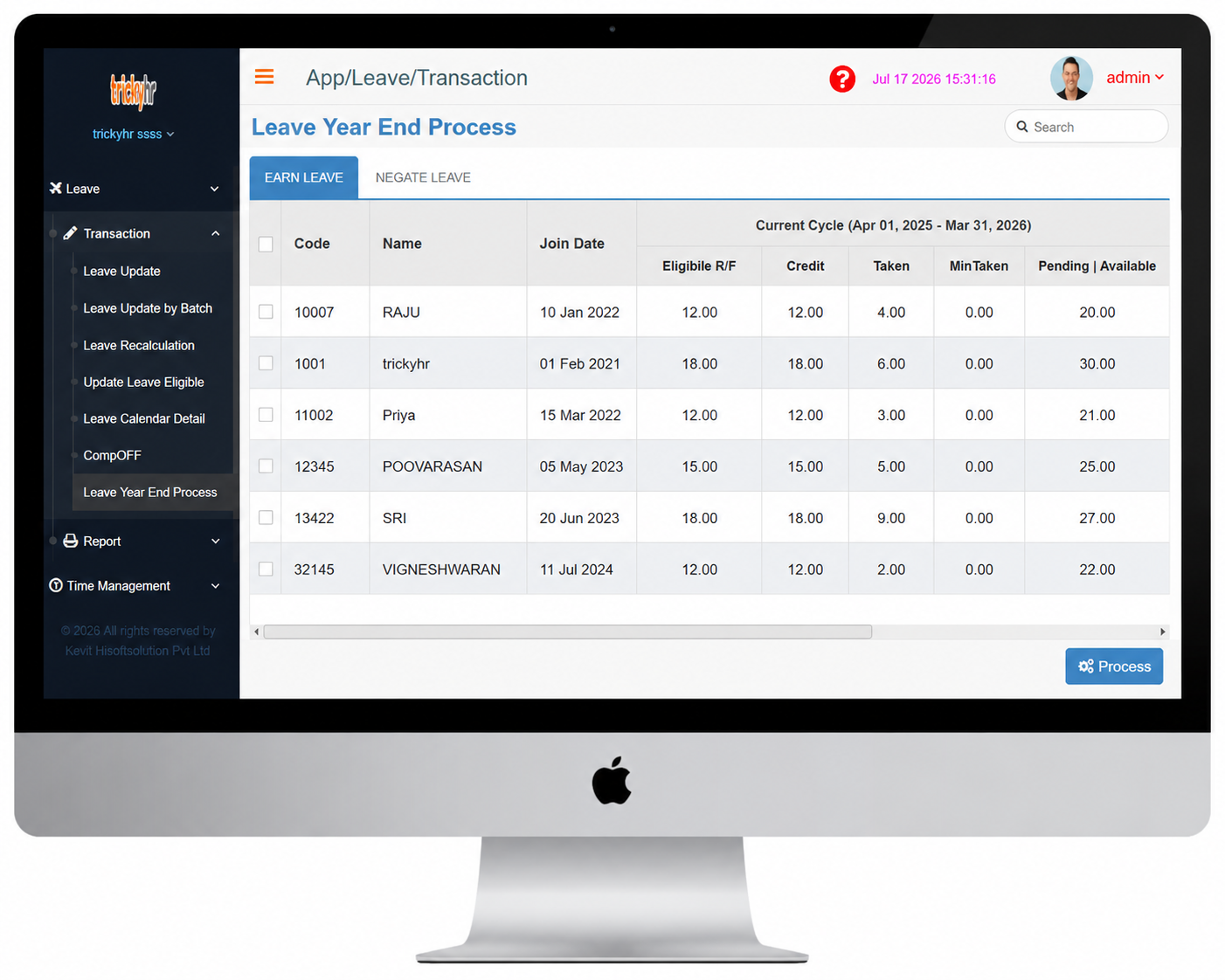
The Year-End Process is essential for completing the current leave cycle and preparing the leave management system for the new leave year. It helps organizations.
- Carry forward, lapse, or encash unused leave balances based on the company's leave policy.
- Update the company holiday calendar for the upcoming year.
- Grant new leave entitlements to employees for the next leave year.
- Ensure accurate leave balances and maintain compliance with organizational leave policies.
- Prepare the leave system for a seamless transition into the new leave cycle.
- Clear all pending leave applications before the new leave year. Update the company holiday calendar for the upcoming year.
- Complete the Year-End Process manually to finalize the current leave year.